> For the complete documentation index, see [llms.txt](https://docs.recognito.vision/llms.txt). Markdown versions of documentation pages are available by appending `.md` to page URLs; this page is available as [Markdown](https://docs.recognito.vision/face-recognition-sdk/integration-guide/windows/licensing.md).
# Licensing
{% hint style="info" %}
Click [Here ](/license-option.md)to get details about RECOGNITO license option
[License Option](/license-option.md)
{% endhint %}
## Get your HWID (Hardware ID)
To activate SDK, you have to first get your Hardware ID by using the [init\_sdk](/face-recognition-sdk/integration-guide/windows/api-reference.md#init_sdk) function.
## Request License
After getting HWID, share it with us for license key.
[**Contact us**](/contact-and-support.md)
## Activate SDK
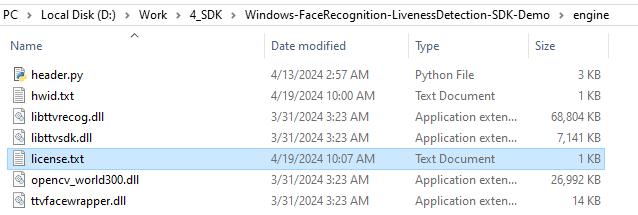
[Initializes](/face-recognition-sdk/integration-guide/windows/api-reference.md#init_sdk) the SDK after copying license key file into `engine` directory. Should be called before using of any other functions.