> For the complete documentation index, see [llms.txt](https://docs.recognito.vision/llms.txt). Markdown versions of documentation pages are available by appending `.md` to page URLs; this page is available as [Markdown](https://docs.recognito.vision/face-liveness-detection-sdk/integration-guide/flutter/installation.md).
# Installation
## FaceSDK Plugin Setup
* Download plugin package from [**facesdk\_plugin.zip**](https://www.dropbox.com/scl/fi/yp12mnwhtf49fm6g3zi7b/facesdk_plugin.zip?rlkey=noo23lgs9tw04edm8arv2z4pz\&st=f2y6t07h\&dl=0) and extract to the root folder of your flutter project.
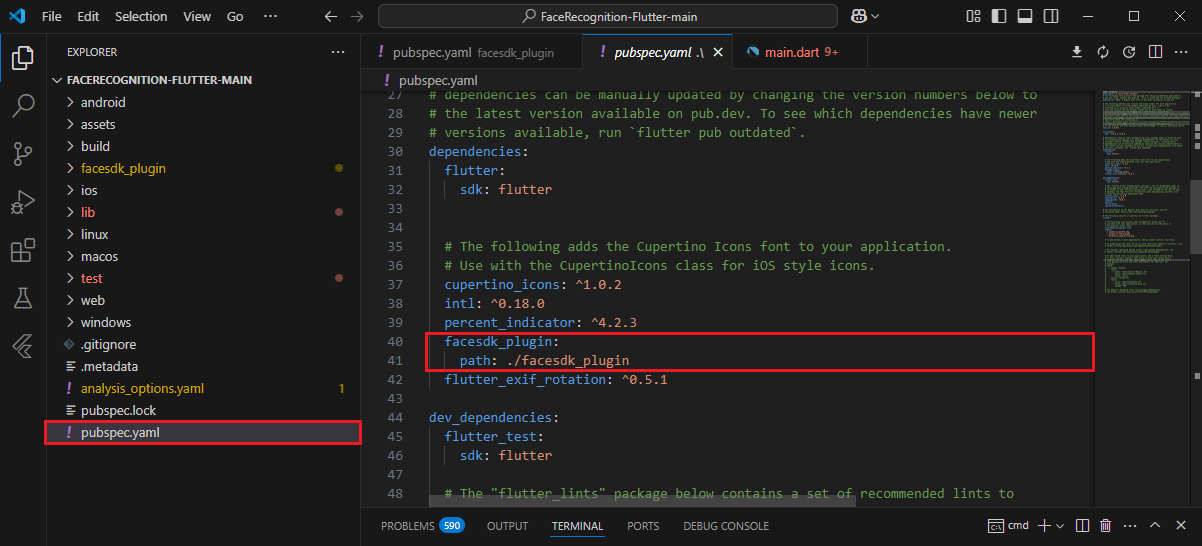
* Add `facesdk_plugin` package to `dependencies` in `pubspec.yaml` file.
```
facesdk_plugin:
path: ./facesdk_plugin
```
* Import `facesdk_plugin` package in dart files.
## Android Setup
* Download Android SDK from [**libfacesdk\_core.zip**](https://www.dropbox.com/scl/fi/6udmto3acu8mt7y4x66y9/libfacesdk_core.zip?rlkey=w7gnhvxz8njcvpnssb59a5u60\&st=thrgclok\&dl=0) and extract to `android` folder in your flutter project.
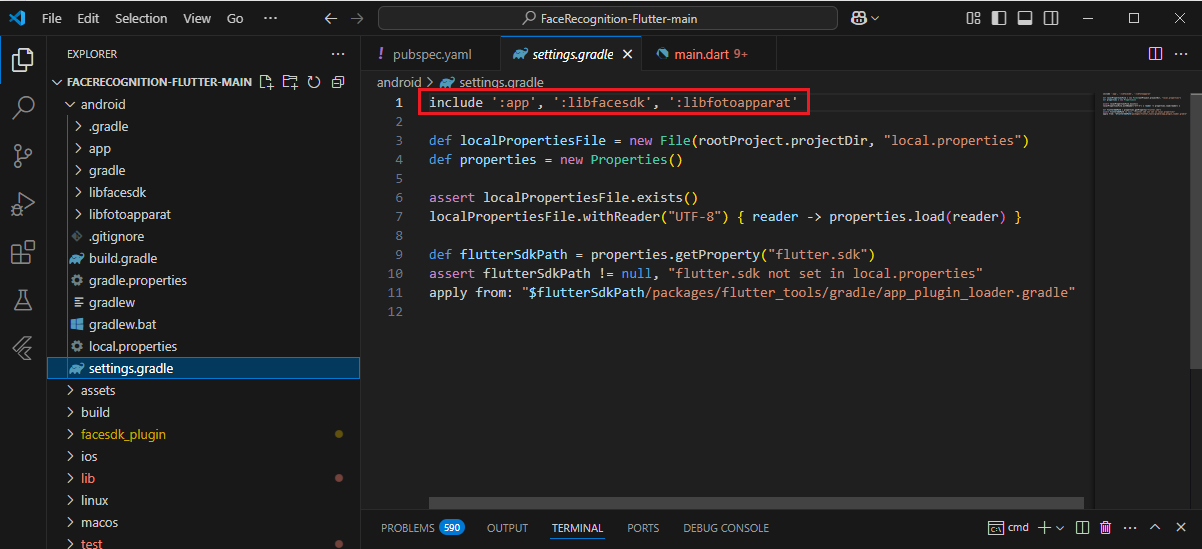
* Add `libfacesdk` to `settings.gradle` in android folder.
## iOS Setup
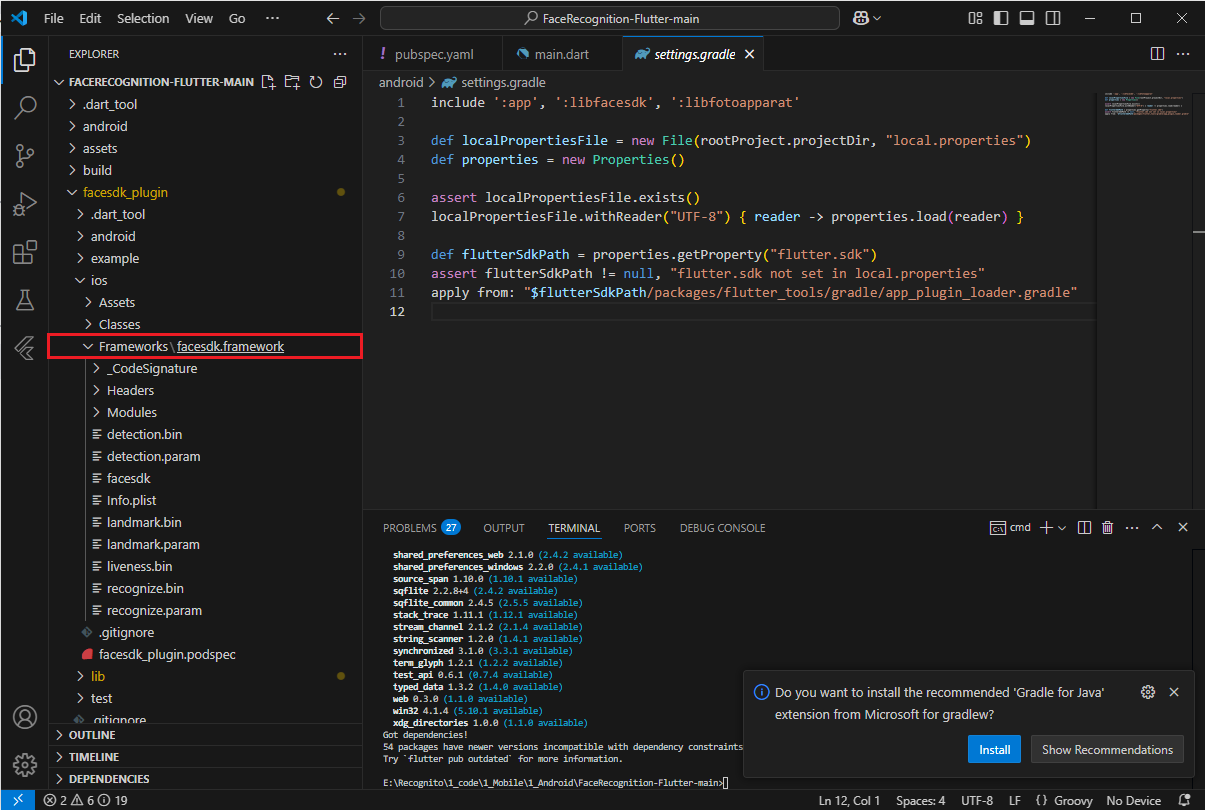
* iOS SDK `facesdk.framework` is already included in the `facesdk_plugin` package, so you don't need to download and import it into your project.
## Project Setup
For project setup, run the following commands:
```bash
flutter pub get
```