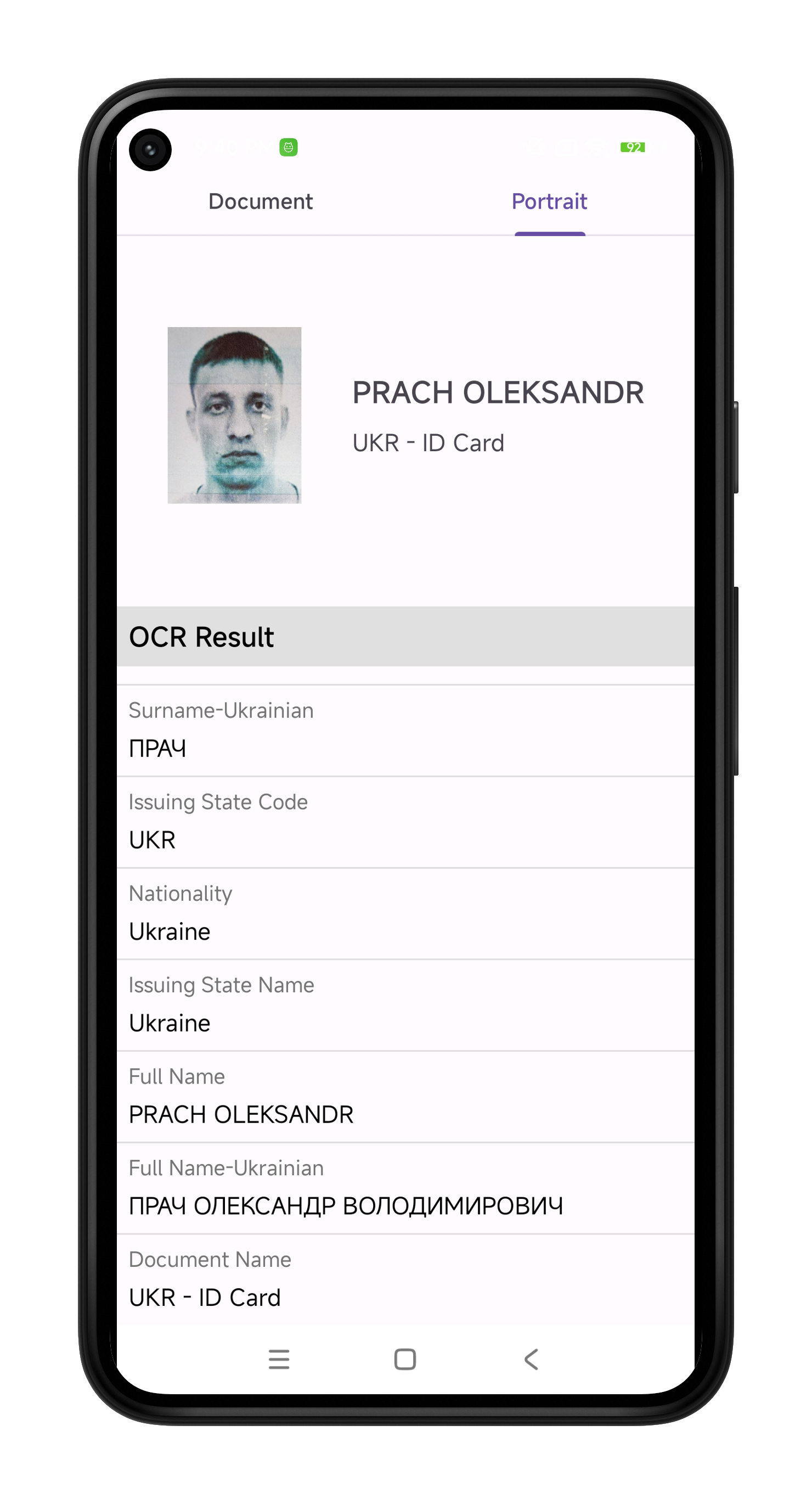
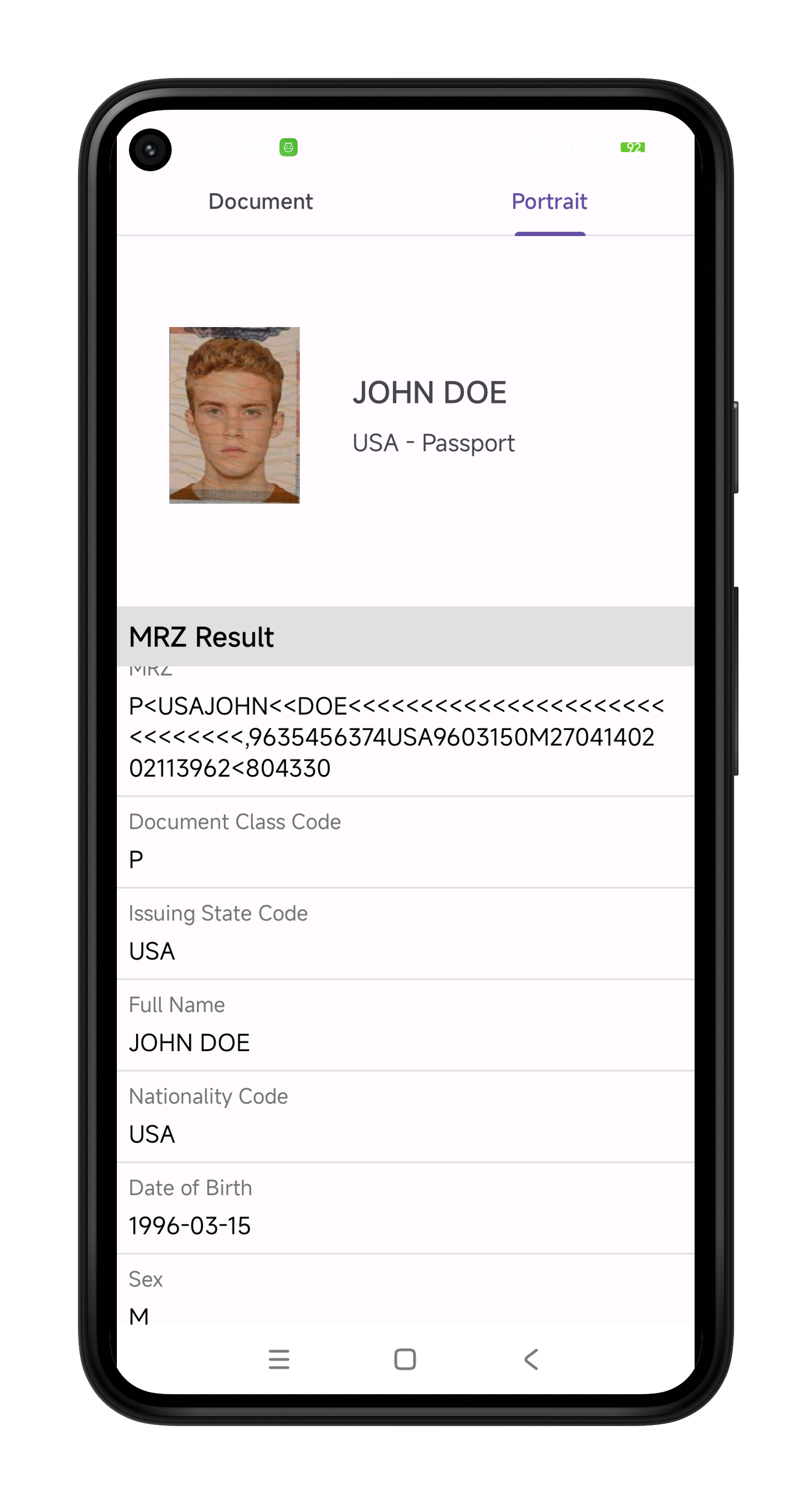
# Sample Application

{% file src="/files/tHmcjL5Y3o2Iz6KGn6fx" %}

### Download APK

<table data-view="cards" data-full-width="false"><thead><tr><th></th><th data-hidden></th><th data-hidden></th><th data-hidden data-card-cover data-type="files"></th><th data-hidden data-card-target data-type="content-ref"></th></tr></thead><tbody><tr><td>Recognito_IDOCR_Demo.apk</td><td></td><td></td><td><a href="/files/3o0HeYVavQGPi0XBmvWy">/files/3o0HeYVavQGPi0XBmvWy</a></td><td><a href="https://www.dropbox.com/scl/fi/aq7py8gheq0xffb5vhj1e/Recognito_IDOCR_Demo.apk?rlkey=71l033c5rrps70q19dv9ljadi&#x26;st=4v1oy09o&#x26;dl=0">https://www.dropbox.com/scl/fi/aq7py8gheq0xffb5vhj1e/Recognito_IDOCR_Demo.apk?rlkey=71l033c5rrps70q19dv9ljadi&#x26;st=4v1oy09o&#x26;dl=0</a></td></tr></tbody></table>

***

## Build Project

### - Download and Open Project

* Download [**IDCardRecognition-Android.zip\[103M\]**](https://www.dropbox.com/scl/fi/gqiszwckrxuq9q4zmtd0l/IDCardRecognition-Android.zip?rlkey=bq37bkr9rybnw080nvet0pkjm\&st=5xc29xmt\&dl=0)
* Open the `IDCardRecognition-Android` project in Android Studio.

### - Setting Up SDK License Key

* Add license:

{% code title="IDCardRecognition-Android\app\src\main\java\com\bio\idcardrecognition\MainActivity.kt" lineNumbers="true" %}

```kotlin
var ret = IDSDK.setActivation(
    "B3sUmGfASlu/p01TNEJxGHP/WTUk5NORuqgfggB25LQPYQBJzdw1lgiFfkE71/+8YhOKdU9wDVbY" +
    "pe/QHf/VbzO3Of7dME9gKjF2H3aNPHY90XNspz7iT1ntf5qd/STCbJVRJAorwBtPE7+BO3cHdVm8" +
    "CLFSclyUEI3/aiXLiT448B+KjvgEoX0CDswVOzpEVYmYphcUX+AbJQ135ostxmaZOMOhEtALEQYH" +
    "+SEIKrn/2+KOYsinZMOOvSWpeSnIrYj3z/AYHhKyR9doYEyCtc7qDwH9NPX3UC5WZc81ewc/K0JO" +
    "Lpe3a9tpGgFtLFEtVB4BwZdivnTf67BZZMMcAQ=="
)
```

{% endcode %}

* Build Project.

### - Integration Guide

* Import ID SDK

```kotlin
import com.bio.idsdk.IDSDK
```

* Activate and Initialize ID SDK

```kotlin
var ret = IDSDK.setActivation(
    "B3sUmGfASlu/p01TNEJxGHP/WTUk5NORuqgfggB25LQPYQBJzdw1lgiFfkE71/+8YhOKdU9wDVbY" +
    "pe/QHf/VbzO3Of7dME9gKjF2H3aNPHY90XNspz7iT1ntf5qd/STCbJVRJAorwBtPE7+BO3cHdVm8" +
    "CLFSclyUEI3/aiXLiT448B+KjvgEoX0CDswVOzpEVYmYphcUX+AbJQ135ostxmaZOMOhEtALEQYH" +
    "+SEIKrn/2+KOYsinZMOOvSWpeSnIrYj3z/AYHhKyR9doYEyCtc7qDwH9NPX3UC5WZc81ewc/K0JO" +
    "Lpe3a9tpGgFtLFEtVB4BwZdivnTf67BZZMMcAQ=="
)
if(ret == IDSDK.SDK_SUCCESS) {
    ret = IDSDK.init(this)
}
```

* YUV to Bitmap for camera frame

```kotlin
override fun process(frame: Frame) {
    val bitmap = IDSDK.yuv2Bitmap(frame.image, frame.size.width, frame.size.height, 6)
    ...
```

* Extract Data

```kotlin
val result = IDSDK.idcardRecognition(bitmap)
```

***

## Application UI

<div><figure><img src="/files/8fMQ6MaAIvVKG0j1atQd" alt=""><figcaption></figcaption></figure> <figure><img src="/files/bx1AHazro2egGHLmSNsK" alt=""><figcaption></figcaption></figure> <figure><img src="/files/lDkJvntBX43HZHsNBosk" alt=""><figcaption></figcaption></figure> <figure><img src="/files/5rXJEOCgfhE9yK8aq8RF" alt=""><figcaption></figcaption></figure> <figure><img src="/files/ccGjp0ttBs9y1lDkd2sb" alt=""><figcaption></figcaption></figure> <figure><img src="/files/TBfMKlP1A3eakfHT9VuJ" alt=""><figcaption></figcaption></figure></div>


---

# Agent Instructions: Querying This Documentation

If you need additional information that is not directly available in this page, you can query the documentation dynamically by asking a question.

Perform an HTTP GET request on the current page URL with the `ask` query parameter:

```
GET https://docs.recognito.vision/id-document-recognition-sdk/integration-guide/android/sample-application.md?ask=<question>
```

The question should be specific, self-contained, and written in natural language.
The response will contain a direct answer to the question and relevant excerpts and sources from the documentation.

Use this mechanism when the answer is not explicitly present in the current page, you need clarification or additional context, or you want to retrieve related documentation sections.